.svg)
.svg)
.svg)


.svg)


.svg)
.svg)

.svg)


In this we are going to see how to configure availability group between the FCI (failover cluster instance) and stand-alone instance. Here we have two node FCI and one stand-alone instance node. We need to configure the availability between the FCI instance(clust) and stand-alone instance(SQL1).
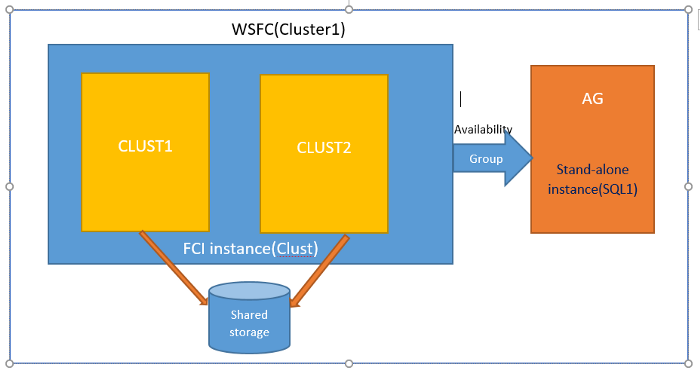
Before going to configure availability group between FCI instance(clust) and stand-alone instance(SQL1). Enable AlwaysOn High Availability on the existing FCI instance on CLust1/CLUST2. Go to SQL Server Configuration Manager > SQL Server Services > SQL Server > Properties and on the "AlwaysOn High Availability" tab check the enable option. Once AlwayOn High Availability is enables plane to restart SQL Servers then only changes will take effect.
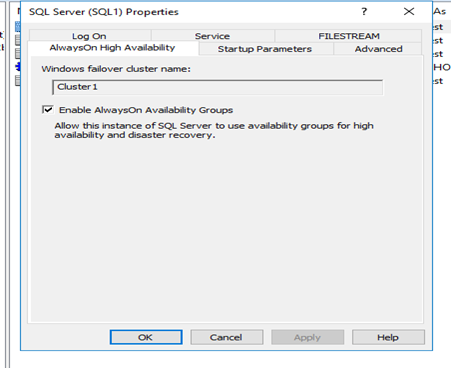
After that add AG(node) to WSFC1(existing windows failover cluster) and enable AlwaysOn High Availability on the AG and restart SQL Server. To add node to WSFC refer to this blog. Once these steps completed go to the Failover.
Cluster manager -> connect to WSFC(cluster1) -> Go to Roles -> Select role -> Below go to resources -> Right click on SQL server -> Go to properties -> Advanced Policies -> remove the node(AG) from possible owners list.
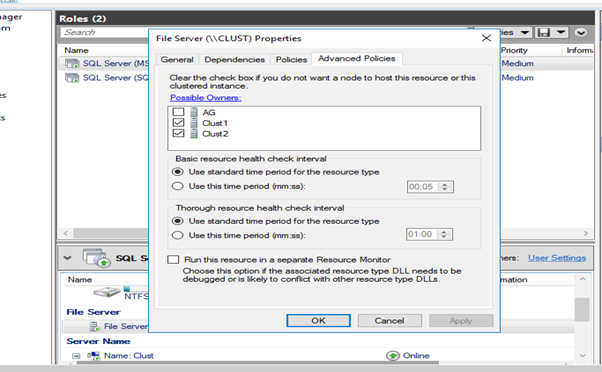
Whenever you add node to WSFC that node will become as possible owner for the Roles whatever are there in that WSFC. If won't remove the stand-alone node from possible owners, you will get error while configuring the availability group.
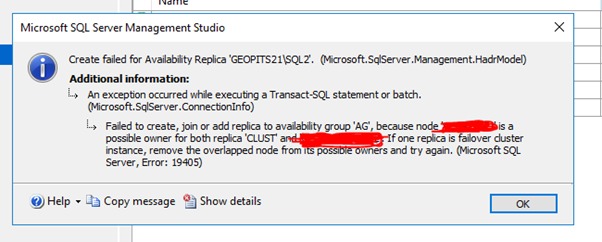
So before going to configure availability group we need to remove the node where we have stand-alone instance from the possible owners on the particular role in WSFC.
Then configure the Availability group between the FCI instance and Stand-alone Instance. Setup FCI instance as primary for Availability group is recommended. Once configuration was completed you can see the availability group in primary server as shown in below. same way you can see in secondary server also created availability group.
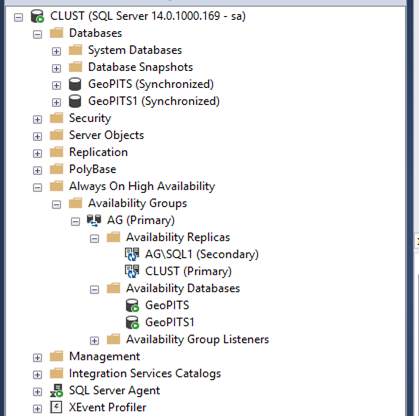
Note: here Clust is FCI Instance and AG\SQL1 is Stand-alone instance
In this case Automatic failover will not work whenever primary goes down we need to perform failover manually.
For manual failover refer Microsoft link.
.svg)

.svg)
.avif)

.svg)


