.svg)
.svg)
.svg)


.svg)


.svg)
.svg)

.svg)


Once the transaction replication is configured, we will face lots of challenges. One among them is adding a new article to an existing replication configuration.
In order to add a new article to an existing replication most of us will reinitialize the subscription and this will take snapshot of entire table in the Database. For this activity, more down time is required.
We know that the snapshot agent uses the BCP utility that produce a table level lock.
What exactly the snapshot agent do is it will take the snapshot of entire articles in the database and place it on the distribution database and then distribution agent will apply these articles on the secondary.
Below mentioned steps will tell you how to add an articles to an existing replication configuration, without a snapshot replication.
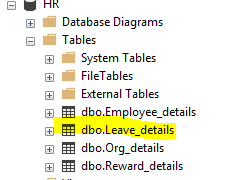
Consider we have created Database HR and it have three tables namely Employee_Details, Org_details, Reward_details. All three tables are already configured in replication and now we are going to add a new table named leave_details to replication.
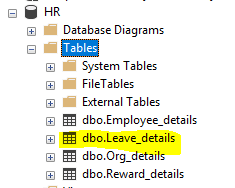
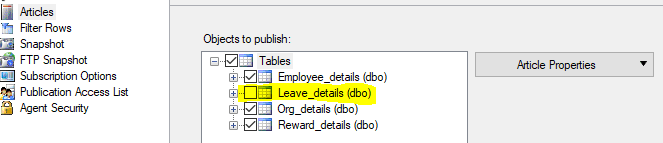
Our aim is to make the snapshot agent to take the snapshot of newly created table.
Step 1: We have to disable the immediate sync, Allow_anonymous. First check the status of these two by using below mentioned command. (1 enabled 0 disabled)
Use HR
select immediate_sync,allow_anonymous,* from distribution.dbo.MSpublications

By using the below mentioned TSQL command disable those two option.
USE HR
EXEC sp_changepublication
@publication = 'HR_Replication',
@property = N'allow_anonymous',
@value = 'False'
GO
EXEC sp_changepublication
@publication = 'HR_Replication',
@property = N'immediate_sync',
@value = ' False '
GO
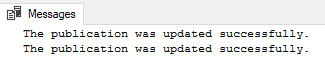
Step 2: Add the newly created article (Leave_details) to existing publication, by executing below mentioned command or using GUI option.
USE HR
EXEC sp_addarticle
@publication = HR_Replication,
@article = Leave_details,
@source_object = Leave_details

Step 3: Once adding those newly created table, existing publication needs to be updated with subscription. So please trigger the below mentioned command.
EXEC sp_addsubscription
@publication = 'HR_Replication',
@subscriber = 'Geopits-pc4',
@destination_db = 'HR'
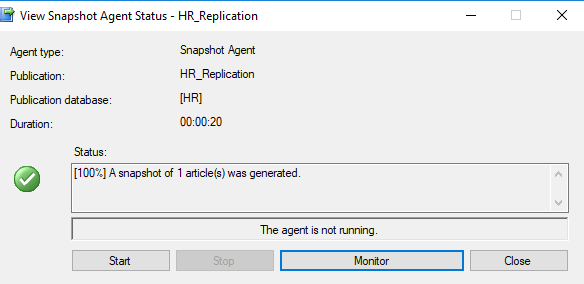
Step 4: Now execute the View Snapshot Agent Status by selecting the START.
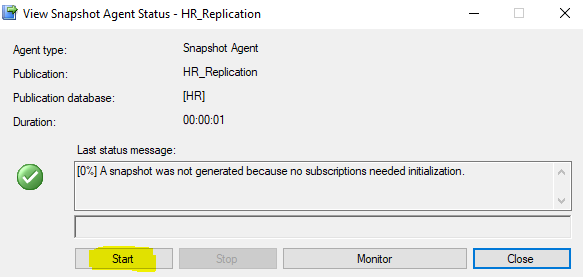
Step 5: Check the status message, it should show A snapshot of 1 articles was generated.
Step 6: Then confirm whether the newly created table is replicated to secondary.
Arunachalam C
.svg)
.svg)

.avif)