New
Back
Database Management

Reliable database management for modern, high-performance systems.

Back
Data Modernisation

Reliable database management for modern, high-performance systems.

Back
Data Engineering

Reliable database management for modern, high-performance systems.

Back
Analytics & Intelligence

Reliable database management for modern, high-performance systems.

Back
Data Strategy Consulting

Reliable database management for modern, high-performance systems.

Connect Azure Managed SQL Instance using SSMS

Thirunavukkarasu RM
Published on
April 1, 2021

Well.. In Azure PaaS we have two options to create and manage SQL database

1. Azure SQL database
2. Azure Managed SQL Instance
In managed instance have capability to create and manage up to 100 databases.

Compared with Azure SQL database each DB has specific computing and storage, but in Managed instance common compute and storage for all DBs inside the Managed instance.

Azure managed instance is good for easy lift and shift migration from On-premise to Azure.

Easy to keep many databases as needed.

Creation of managed instance may take more than 4 to 32 hours in Azure.

Connect Azure Managed SQL instance using SSMS

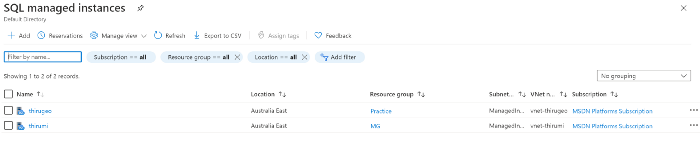
1. Select the managed instance to configure allow connection from remote.
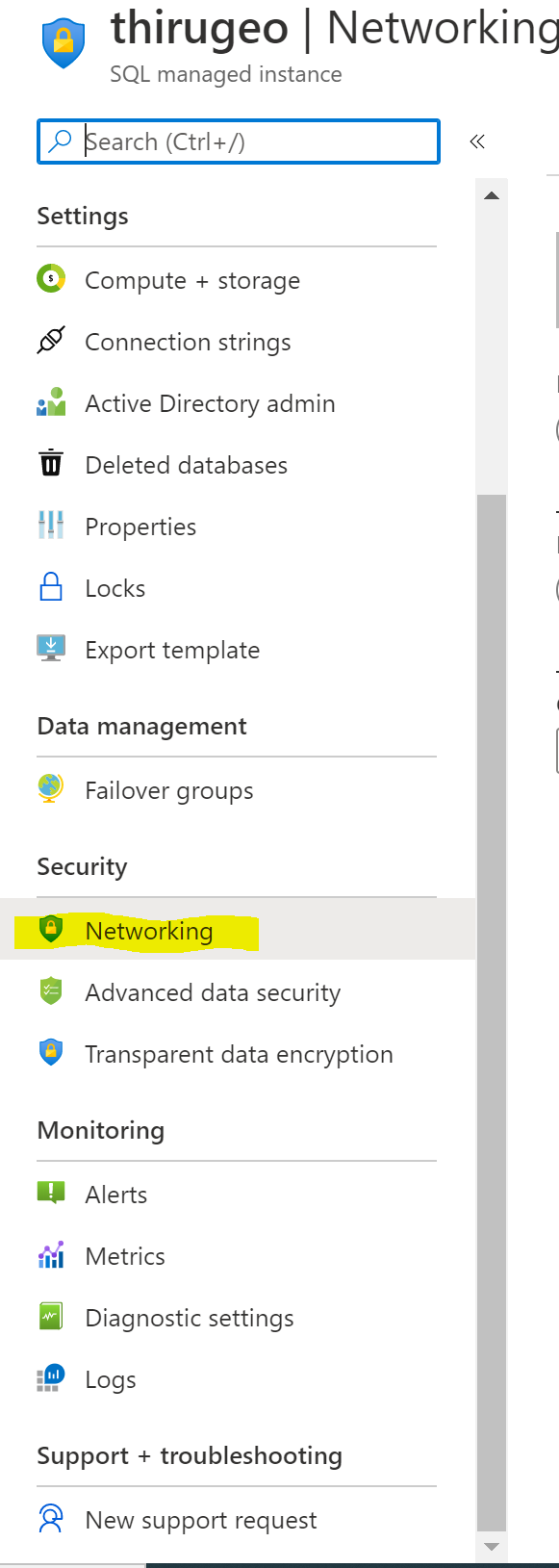
2. Click on Networking from left pane
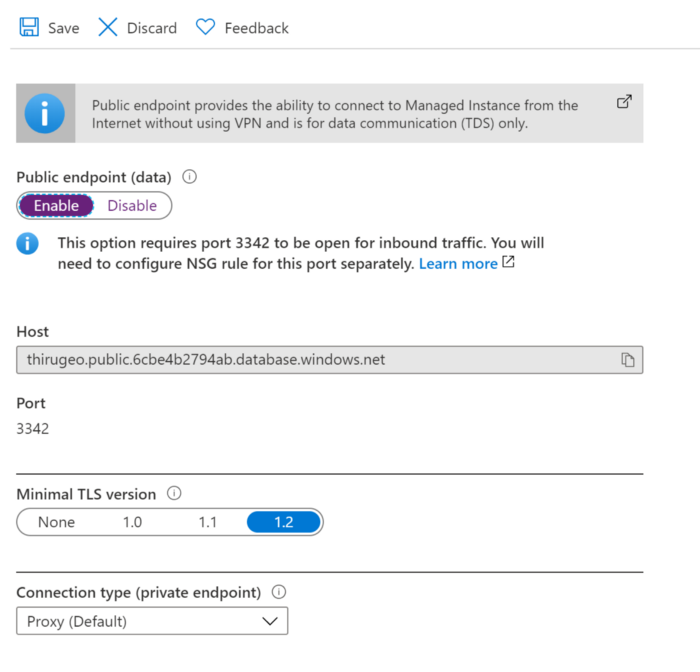
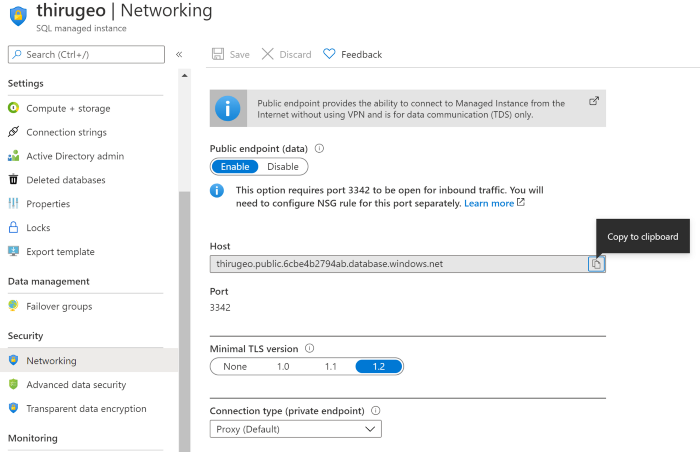
3. Enable public endpoint and make note of port used to connect the managed instance. By default it is 3342
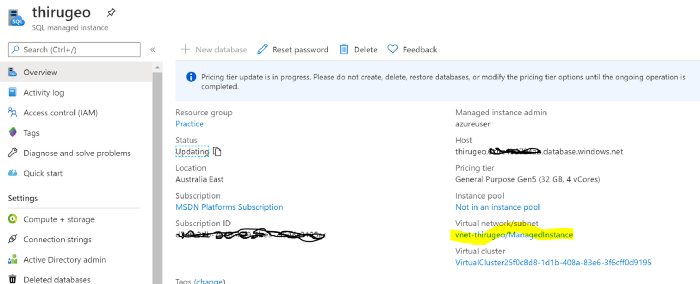
4. Go to overview page and select VPN network/subnet
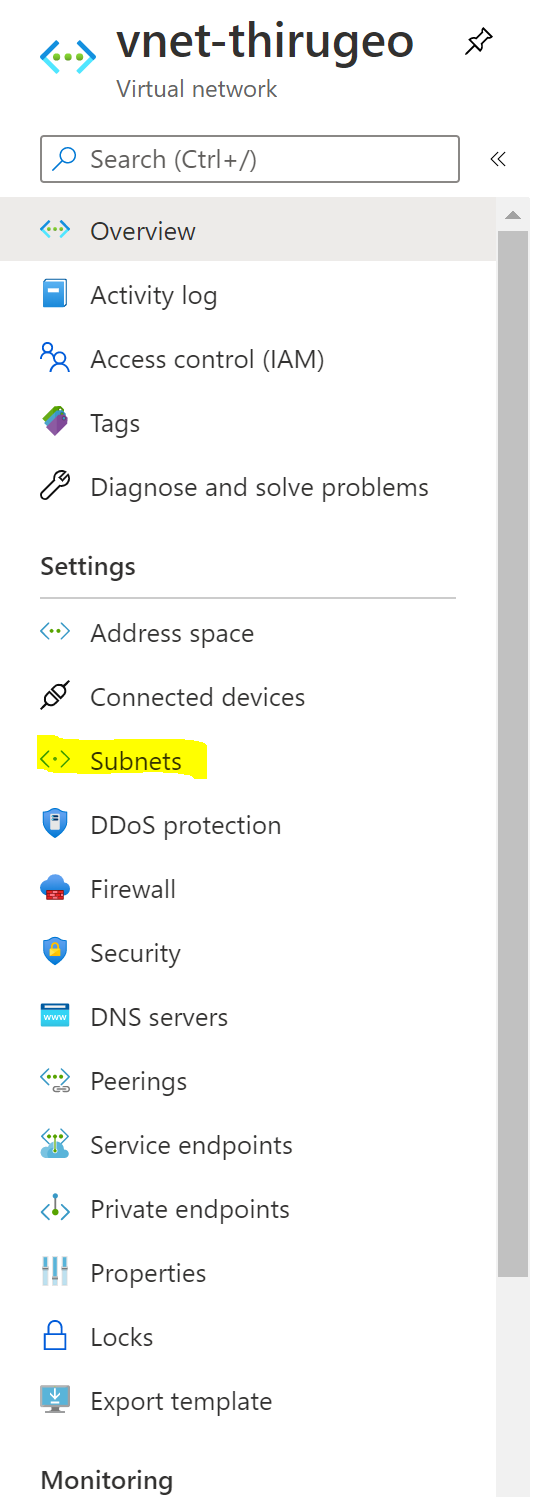
5. Click on subnet tab from left panel
6. Note down the security group name

7. Go to Network security group service using Azure portal search.
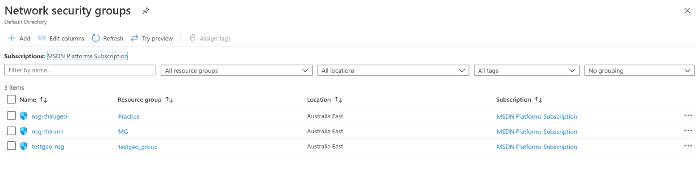
8. Select the appropriate security group and select Inbound settings
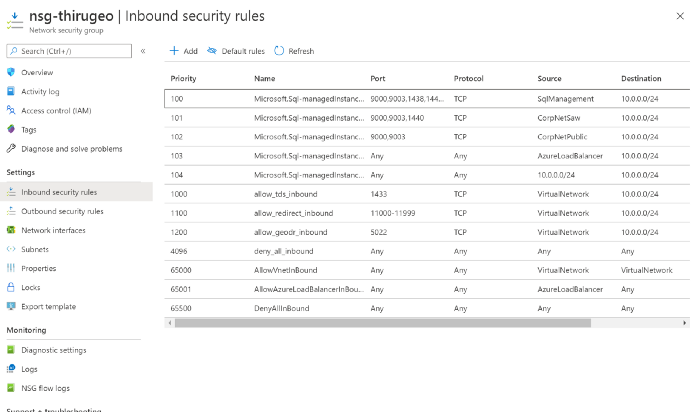
9. Click on add new and provide below details.
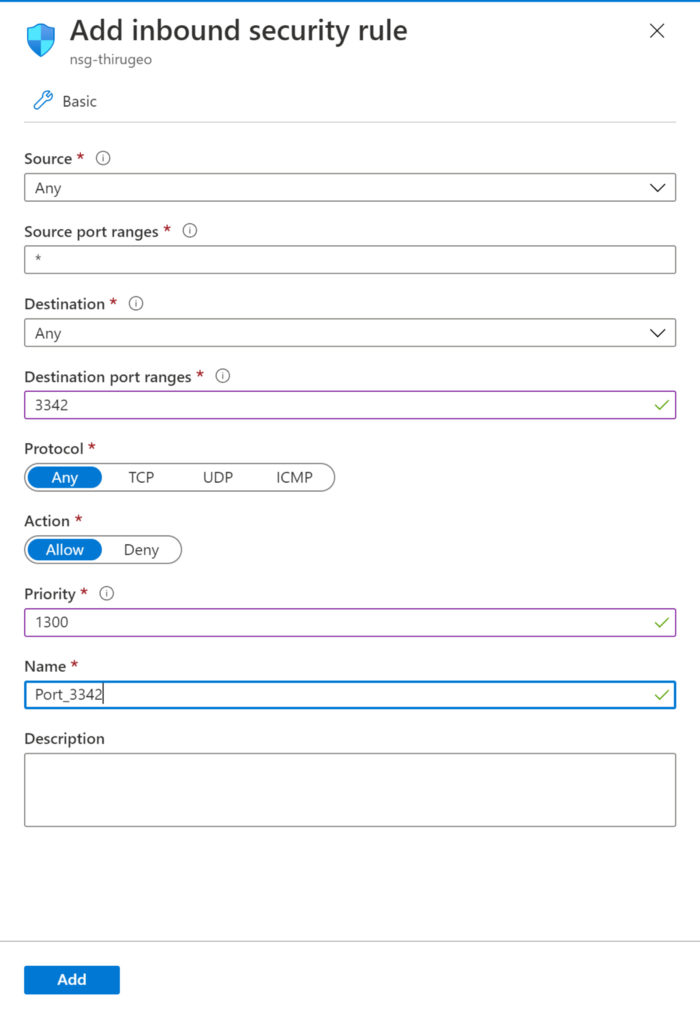
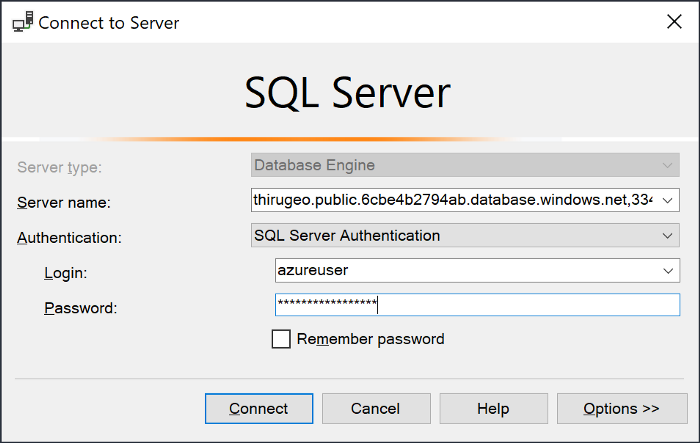
10. Once added the details click save and try to connect from local SSMS using managed instance name and port number (3342). Use the below details to get instance details
Thirunavukkarasu RM

Thirunavukkarasu Ramasamy has 17+ years of experience in database management and the Microsoft Data Platform, with expertise in SQL Server, database architecture, and data solutions. As the Senior Solution Architect of Geopits, he focuses on building scalable data platforms, modernizing database environments, and delivering reliable enterprise data solutions.

Our Latest Blogs

From monitoring to modernization, GeoPITS provides expert database management services that enhance performance, strengthen security, and reduce operational costs.

Ready to Transform Your Data?

Geopits works alongside your team as a strategic partner, starting with stabilizing your current databases, then modernizing your data infrastructure, and ultimately helping you unlock the full potential of AI.

170

Happy Clients so far

2100+

Databases Managed

142+

Successful Migrations

Thank you! Your submission has been received!
Oops! Something went wrong while submitting the form.