SQL Server replication copies data from one database to another, and each type suits a different job. In this lab, we set up snapshot, transactional and peer-to-peer replication on a SQL Server 2019 test setup. This post walks through the three setups, the Snapshot Agent failure we hit along the way, and the limits to plan for before you use peer-to-peer in production.
At a glance
Setting up the three types
Snapshot replication: Server 2 to Server 1
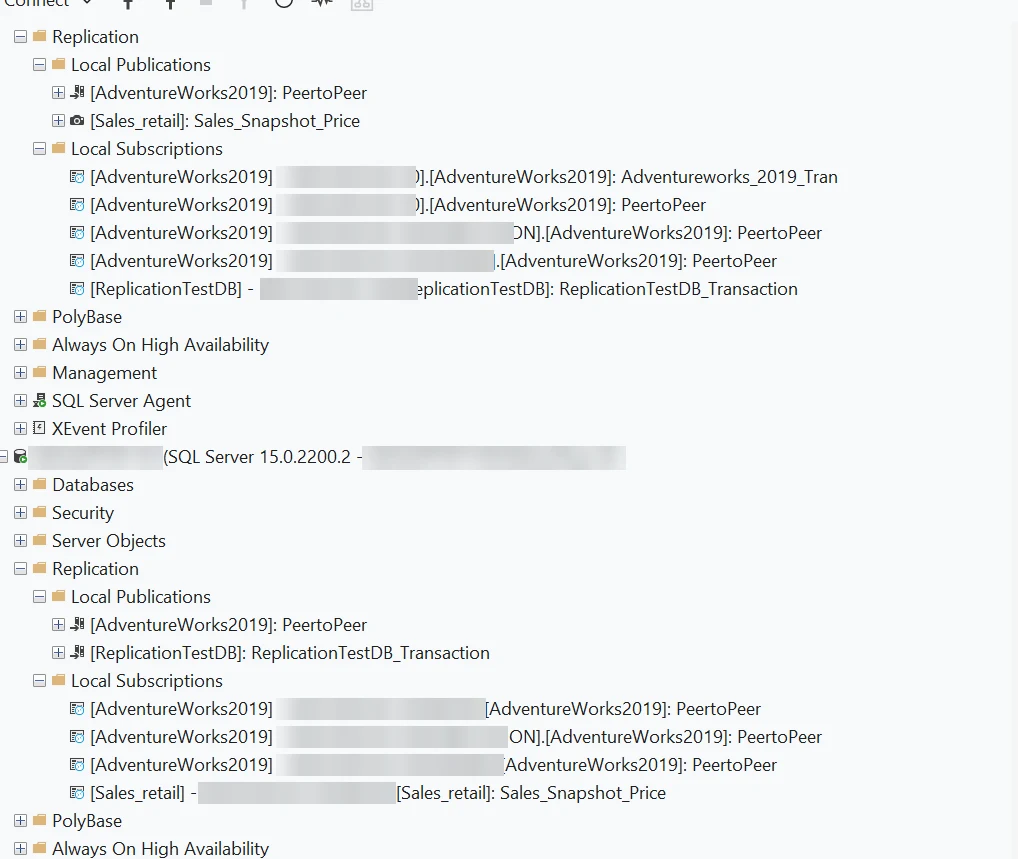
Server 2 publishes the Sales_Snapshot_Price publication to Server 1. The snapshot copies the full data set on a schedule, so the subscriber is refreshed in batches rather than change by change. Figure 1 shows the publication on Server 2 and the matching subscription on Server 1.
Transactional replication: Server 1 to Server 2
Server 1 publishes ReplicationTestDB_Transaction to Server 2, and each change on the publisher is sent to the subscriber continuously. Figure 1 also shows both sides of this setup: the publication on Server 1 and the subscription on Server 2. If you want a deeper look at capturing changes, see our guide to change data capture in SQL Server.
Peer-to-peer replication: Servers 1, 2 and 3
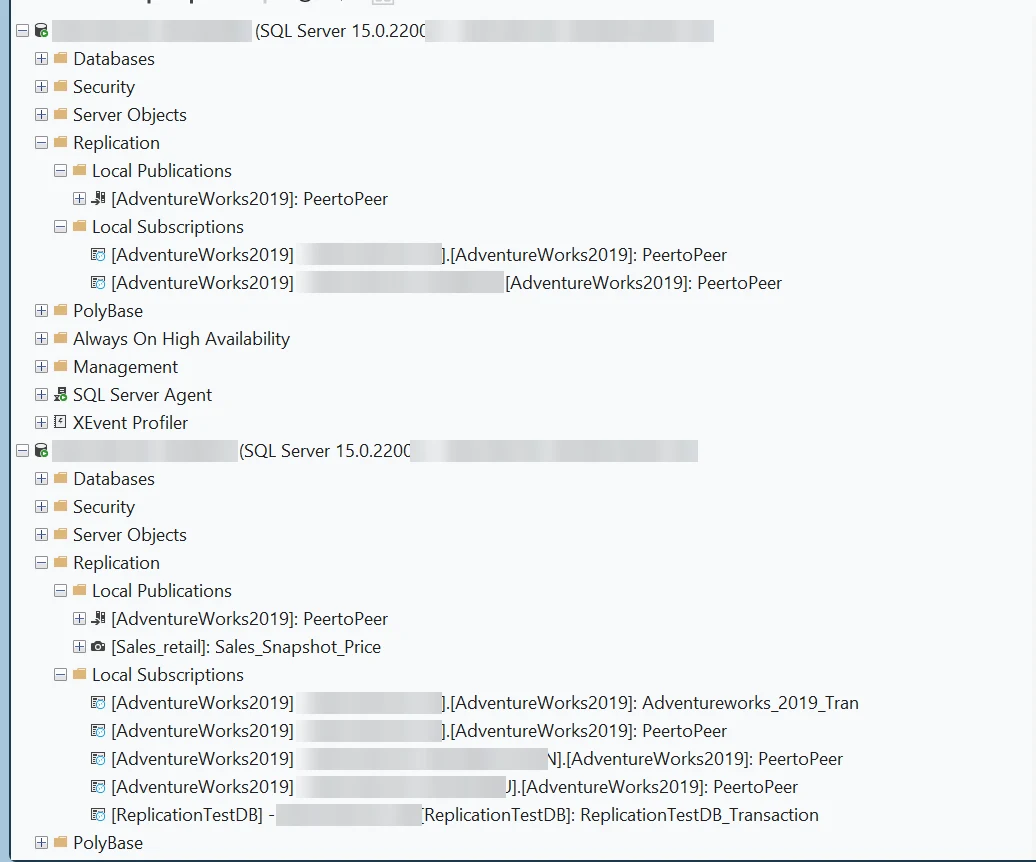
The PeertoPeer publication links all three servers. Each server is a publisher and a subscriber for the same tables. Figure 2 shows Server 3 subscribing to Server 1 and Server 2, and Server 2 taking part in the same publication.
The Snapshot Agent failure and the fix
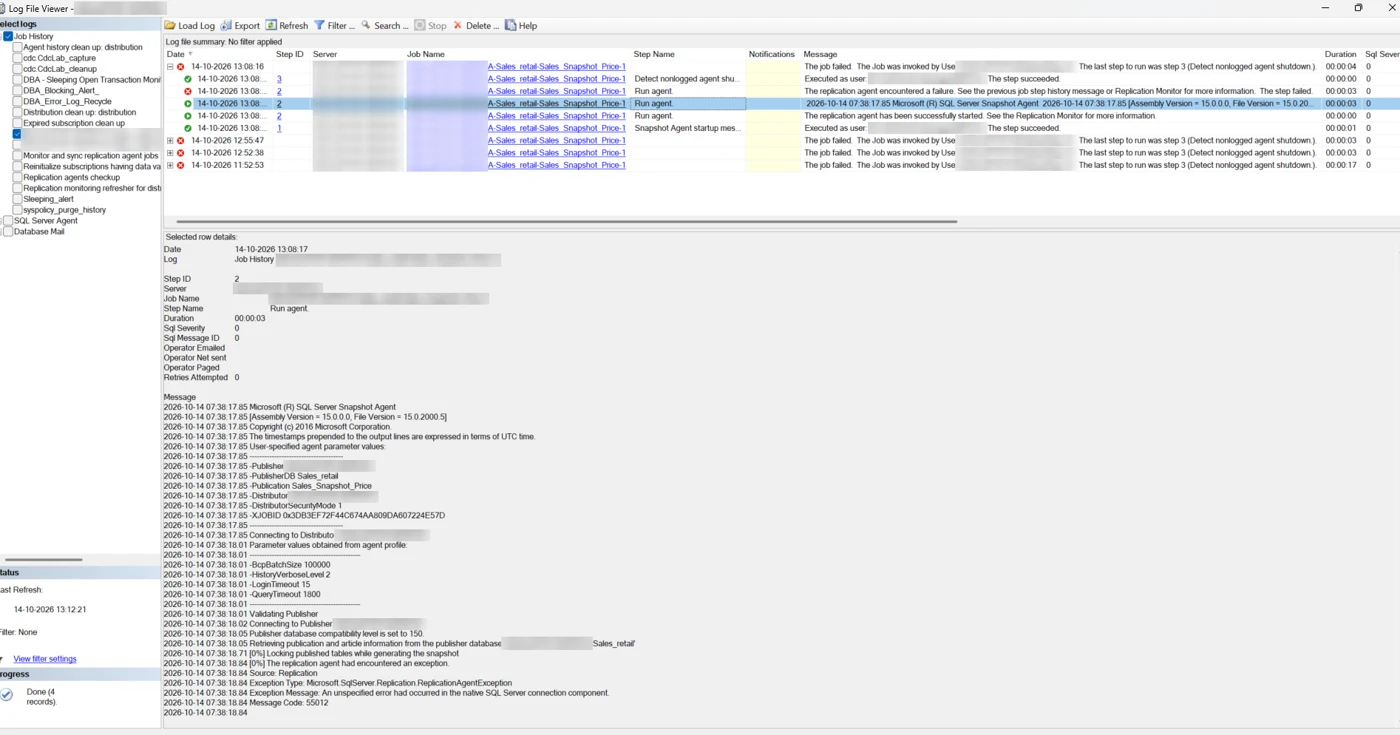
After the snapshot setup, the Snapshot Agent job on Server 2 failed with message code 55012. The job history showed that the agent could not complete its connection through the native SQL Server connection component (Figure 3). If you hit a similar failure, the service error log guide is a good place to start.
In our lab, the agent started once we copied msoledbsqlr.rll into the SQL Server 150\COM folder. We could not find Microsoft documentation that ties this error to that file, so treat the copy as a lab observation rather than a standard fix. Before you change anything, check that the OLE DB driver is installed, that the file is in the COM folder for your instance, and that the SQL Server Agent service account can write to that folder.
Limits to know
Peer-to-peer replication has restrictions that matter before you design a topology. These are the main ones from Microsoft's documentation.
Where it fits in a DBA's day
Before you pick a replication type, check three things: whether each subscriber needs the full table or only part of it, whether the same rows can change on more than one server, and how long a full reload would take on your largest table. Snapshot replication is simple to reason about, but it reloads everything on each run. Transactional replication keeps subscribers close to current, which suits reporting copies and read workloads. Peer-to-peer fits when more than one server takes writes and your application can handle the conflicts.
Our high availability and disaster recovery team and our DBA managed services cover replication topologies like these for SQL Server environments. In a lab, run each type with a realistic change load and watch Replication Monitor and the agent job history before you move anything to production.
Wrapping up
Replication suits some workloads and not others. The setup steps are simple to repeat, but the agent permissions and the peer-to-peer limits take the most care. If you run replication in production and want a second review of your topology or agent setup, start with a free database audit or talk to our team. You can also browse more posts on the Geopits blog.
Frequently Asked Questions
1. What is the main difference between snapshot and transactional replication?
Snapshot replication copies the full data set on a schedule. Transactional replication sends each change to the subscriber as it happens, which keeps subscribers closer to current.
2. Can I initialize a new peer in peer-to-peer replication from a snapshot?
No. Microsoft's documentation says peer-to-peer does not support initialization or reinitialization with a snapshot, so plan the initial load before you add a node.
3. Why did my Snapshot Agent fail with error 55012?
The job history gives the exact cause. Check the OLE DB driver, the COM folder and the agent service account permissions first. In our lab, the agent started after we copied msoledbsqlr.rll into the COM folder.
4. Does peer-to-peer replication handle conflicts?
It detects conflicts. Sophisticated conflict resolution is handled by merge replication, so evaluate that option if your application needs richer rules.
5. Where do I check replication status?
Use Replication Monitor in SQL Server Management Studio, and check SQL Server Agent job history for the snapshot, log reader and distribution agents.
Related reading
- Setting up SQL Server replication with a database backup
- Configure peer-to-peer replication
- Adding new articles to an existing transactional replication
- Setup merge replication in SQL Server
- Mastering SQL Server replication (webinar)
Sources
Microsoft Learn, Types of replication; Microsoft, Peer-to-Peer Transactional Replication (TechNet mirror).

Vishnu Priya